What you need to know first
Choose the larger data archive, not a narrow custom export.
Expect two emails: the first within about an hour, the second around 24 hours later.
Upload the ZIP from the second email to RoundOS without unzipping it.
Download promptly: LinkedIn says the archive link is available for 72 hours.
Export the archive
LinkedIn's current help flow starts in Settings & Privacy, then Data privacy, then Get a copy of your data. The screenshots below show the same path with the larger archive selected.
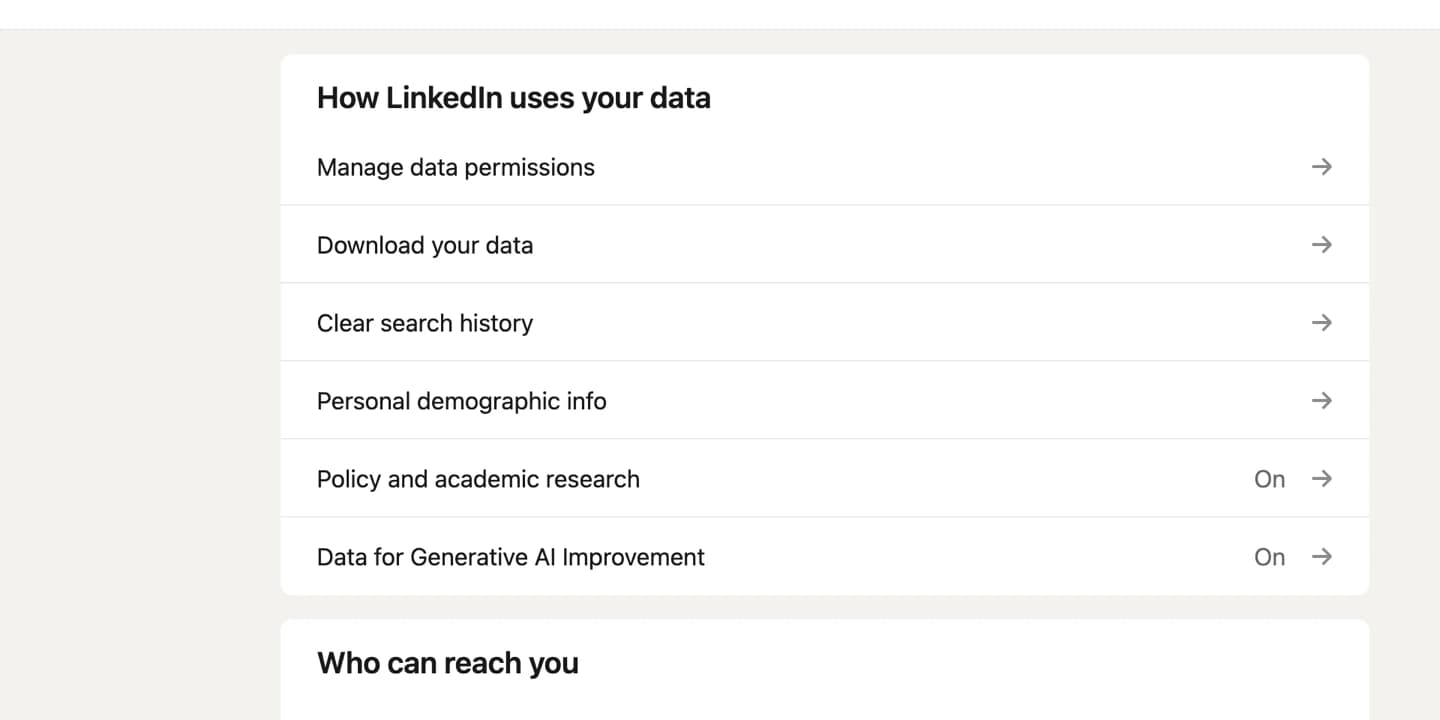
Open Data privacy in LinkedIn settings
In LinkedIn, open Settings & Privacy, then choose Data privacy. In the How LinkedIn uses your data section, open Download your data or Get a copy of your data.
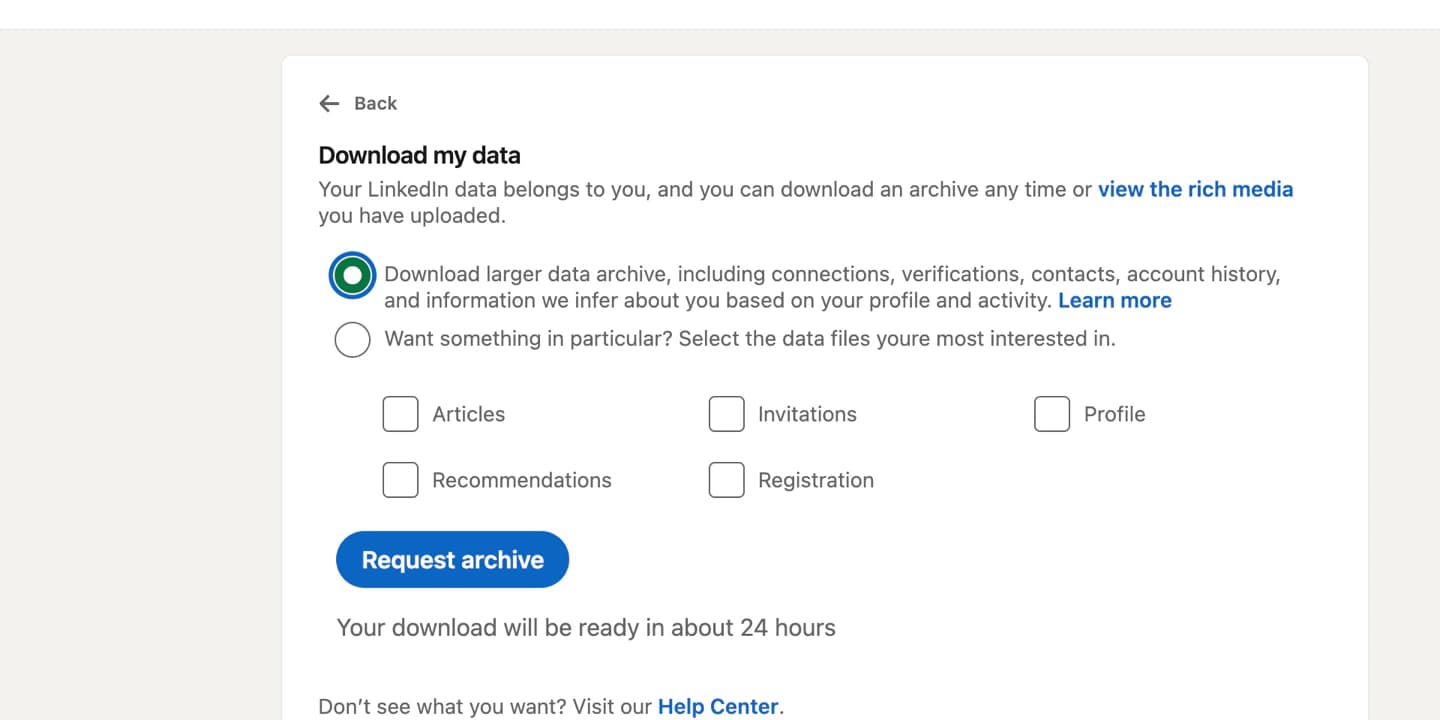
Select the larger data archive
Choose Download larger data archive. This is the archive that includes connections, contacts, account history, messages, and inferred profile activity where available. Do not pick the narrow file checklist if you want RoundOS to learn the useful relationship context.
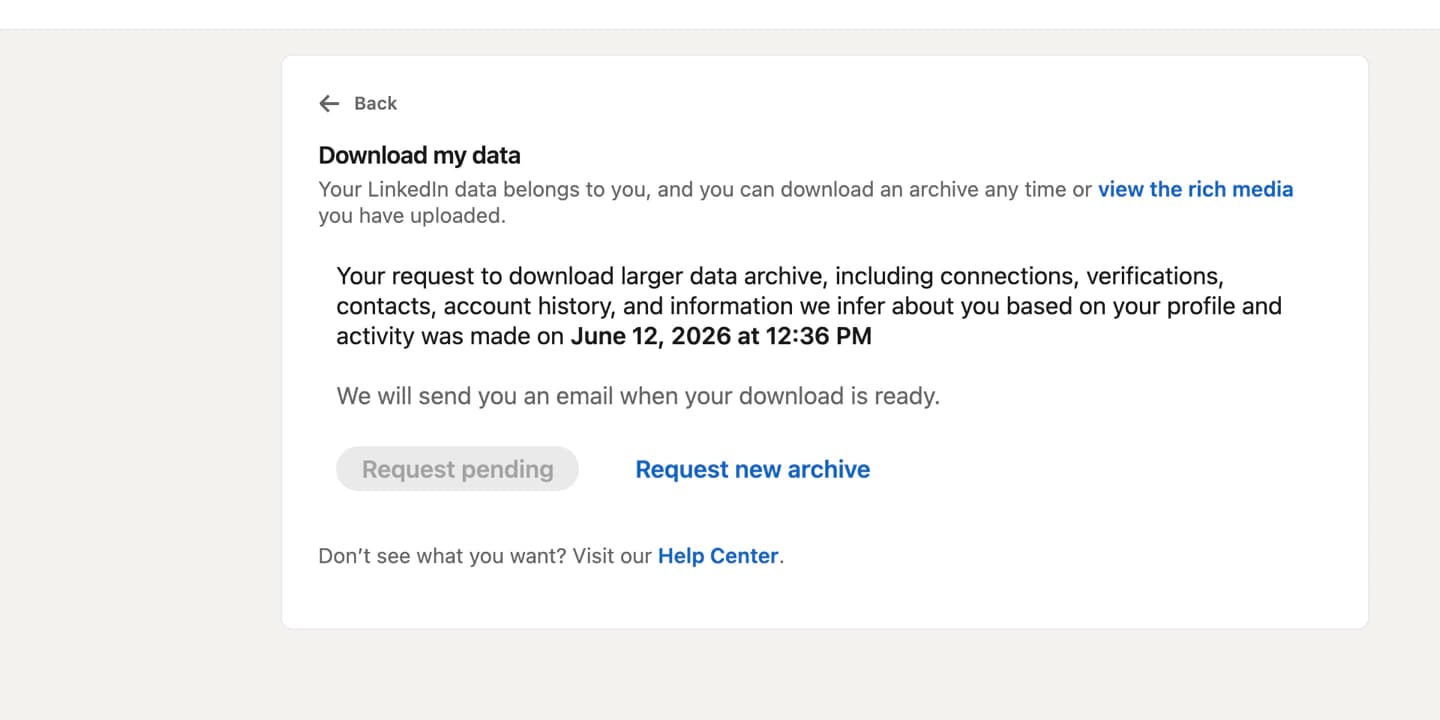
Wait for the second email
After you request the archive, LinkedIn marks the request as pending. Expect two emails: the first usually arrives within an hour and is not the file you want for RoundOS. Wait for the second email, roughly 24 hours later, then download the complete archive ZIP from that message.
Upload the ZIP to RoundOS
Use the ZIP from the second email. Do not unzip, rename, or cherry-pick files inside it. Upload the complete archive during onboarding or from your RoundOS context imports screen, then review the suggested CRM updates before applying them.
Why this archive is worth the wait
A LinkedIn archive can give RoundOS more than a static contact list. The useful signal is the relationship history: who you already know, who has gone quiet, who can open a warm path, and which old conversations should turn into a next move.
Lighthouse asked for cohort retention
Next moveOmar can intro Beacon and Lighthouse
Warm pathDana cares about NRR and usage expansion
DossierThe two LinkedIn emails
First email: ignore it for RoundOS
Treat the first message as a partial-ready notification. It can be useful for confirming that LinkedIn received the request, but it is not the complete archive RoundOS should ingest.
Second email: download this ZIP
This is the useful complete archive. Download it promptly, because LinkedIn says requested data is available for 72 hours, then upload that ZIP to RoundOS.
Privacy and import notes
Download the archive from your own computer, not a shared machine. LinkedIn says data download is not currently available on mobile.
Some connection emails may be missing. LinkedIn only includes email addresses when the other member allows connections to download them.
RoundOS uses the archive to propose CRM updates and memories; you review important changes before applying them.
Bring the archive into your actual round.
Upload the complete LinkedIn ZIP, then let RoundOS turn dormant conversations and warm paths into reviewed next moves.